Clipboard Manager
I haven’t felt like going back to Windows since I switched to Ubuntu. But it was really annoying that there were no built-in clipboard history or a clipboard manager functionality in Ubuntu. That was one of the tools I used daily.
As a Software Engineer I always want to build something to use daily. I decided to build this one myself. By the help of Claude I started building this one. A simple, lightweight clipboard manager for Ubuntu. Which helps to copy, paste, organize, retrieve by search etc.
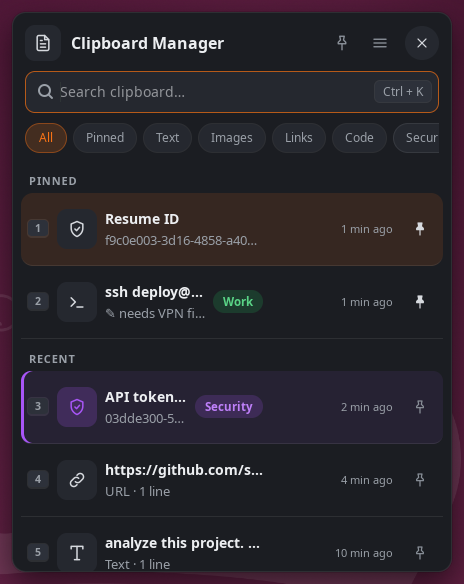
I am using it for months, it feels very useful for me. I think it may help you if you don’t have good one.
You could download it, use it, modify it, if it keeps annoying you can improve it or report it to me in mail or simply raise an issue in github.